
Independent project · Project overview
Portico: a native interface for custom agents.
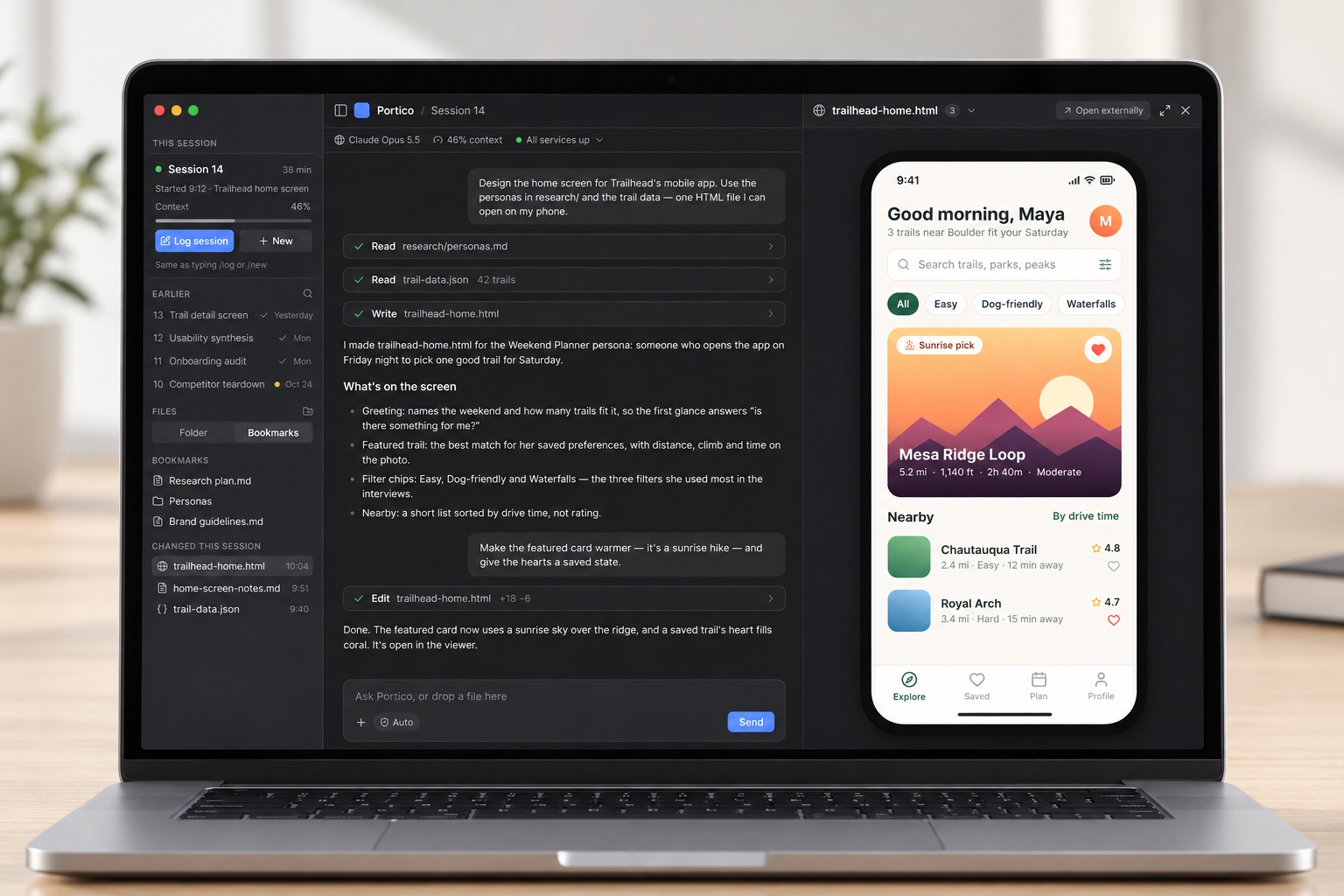
A native Mac app that brings custom agents into your workflow—with conversations, approvals, and generated work together in one place. A pluggable gateway connects the interface to the agent systems behind it.
- My role
- Product definition, architecture & design
- Built with
- AI coding agents · SwiftUI · Python
- Stage
- Released software · Active development
Executive Summary
- The need: Make custom agents usable through a native interface, with less dependence on terminal commands and scattered output files.
- Built and released: A SwiftUI Mac app, a shared protocol, and a Python reference gateway using the Claude Agent SDK. Together, they support live agent sessions, approvals, and an integrated artifact viewer.
- The architectural choice: I separated the interface from the agent through a shared protocol, so different agent systems can connect without rebuilding the UI.
- My contribution: I defined the product, shaped the interaction model and architecture, and directed implementation. Hands-on testing and use drove successive releases.
Why I built it
An agent should have an interface people can work in.
I wanted the work of building an agent and the work of building its interface to be able to move independently. Portico gives a custom agent a native front end, while its gateway handles the session and connects to the underlying engine.
The intended audience includes designers, researchers, and product people who want to ask for analysis or a prototype, respond when the agent needs a decision, and inspect the result without moving between a terminal and a collection of separate tools.
Inside the interface
Keep the conversation and the work together.
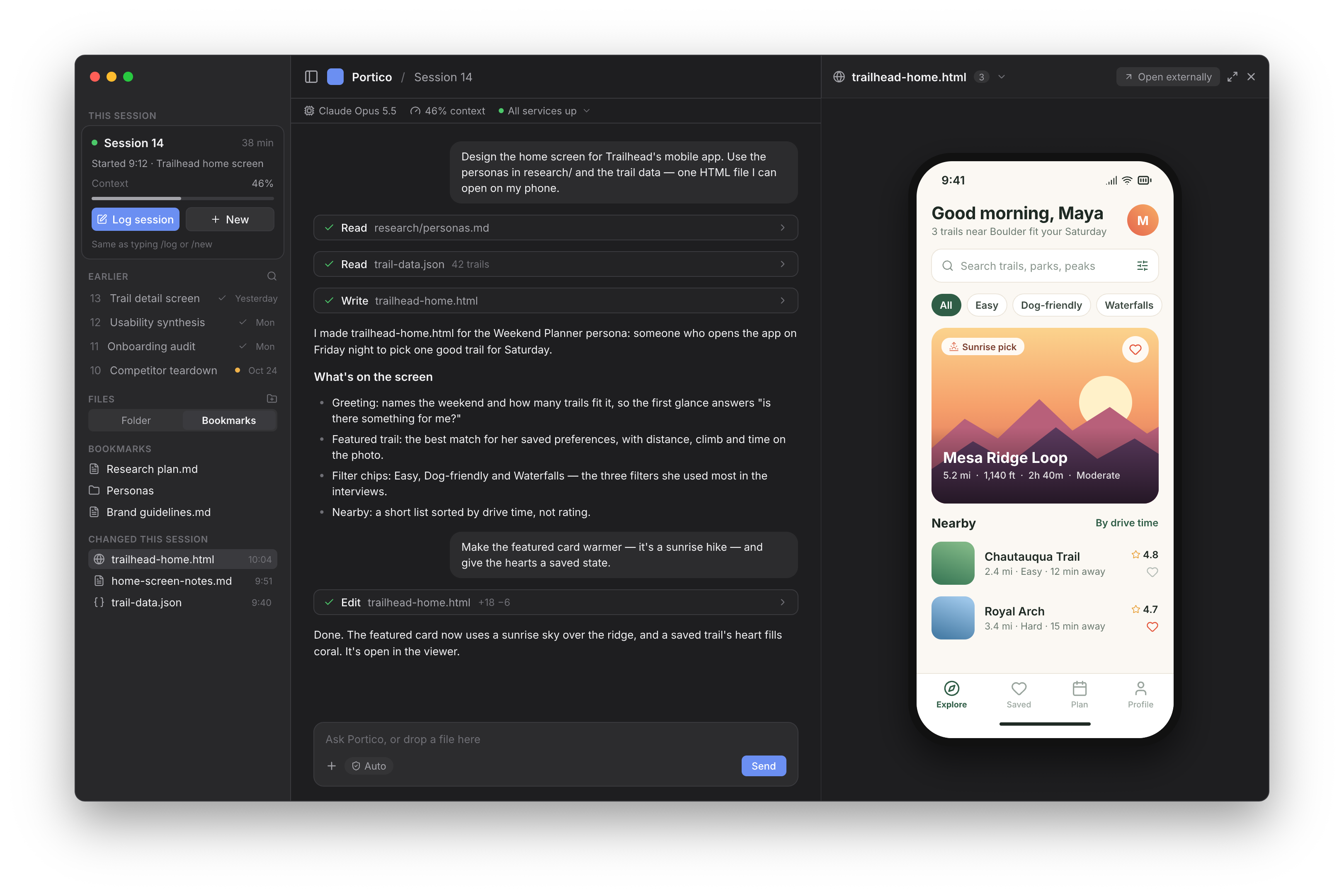
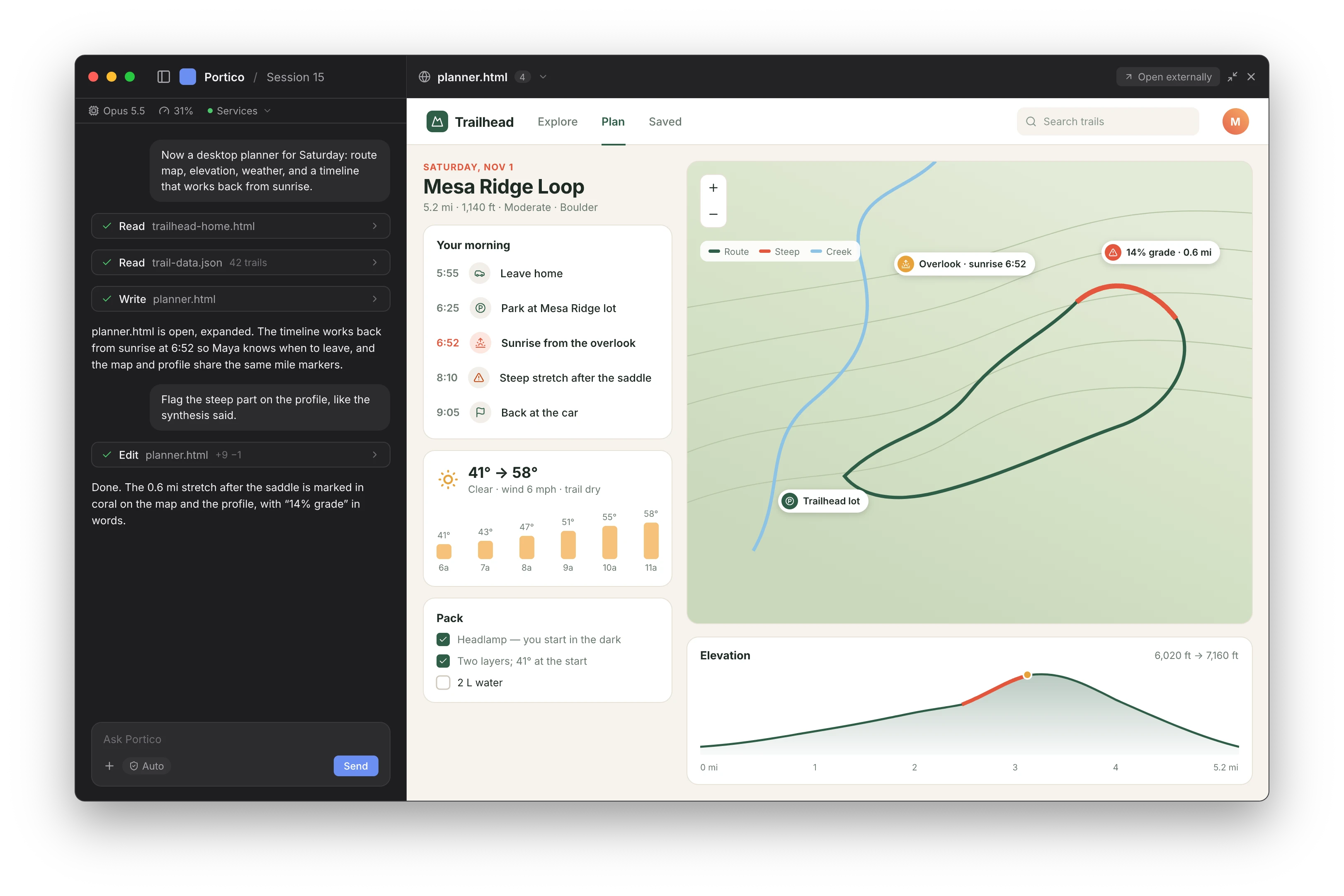
The three-column layout gives each part of the workflow a place: session context and files on the left, the conversation in the middle, and the output on the right. Streamed replies and tool activity show the work in progress, while the integrated viewer opens the files and previews the agent produces.
Follow the session
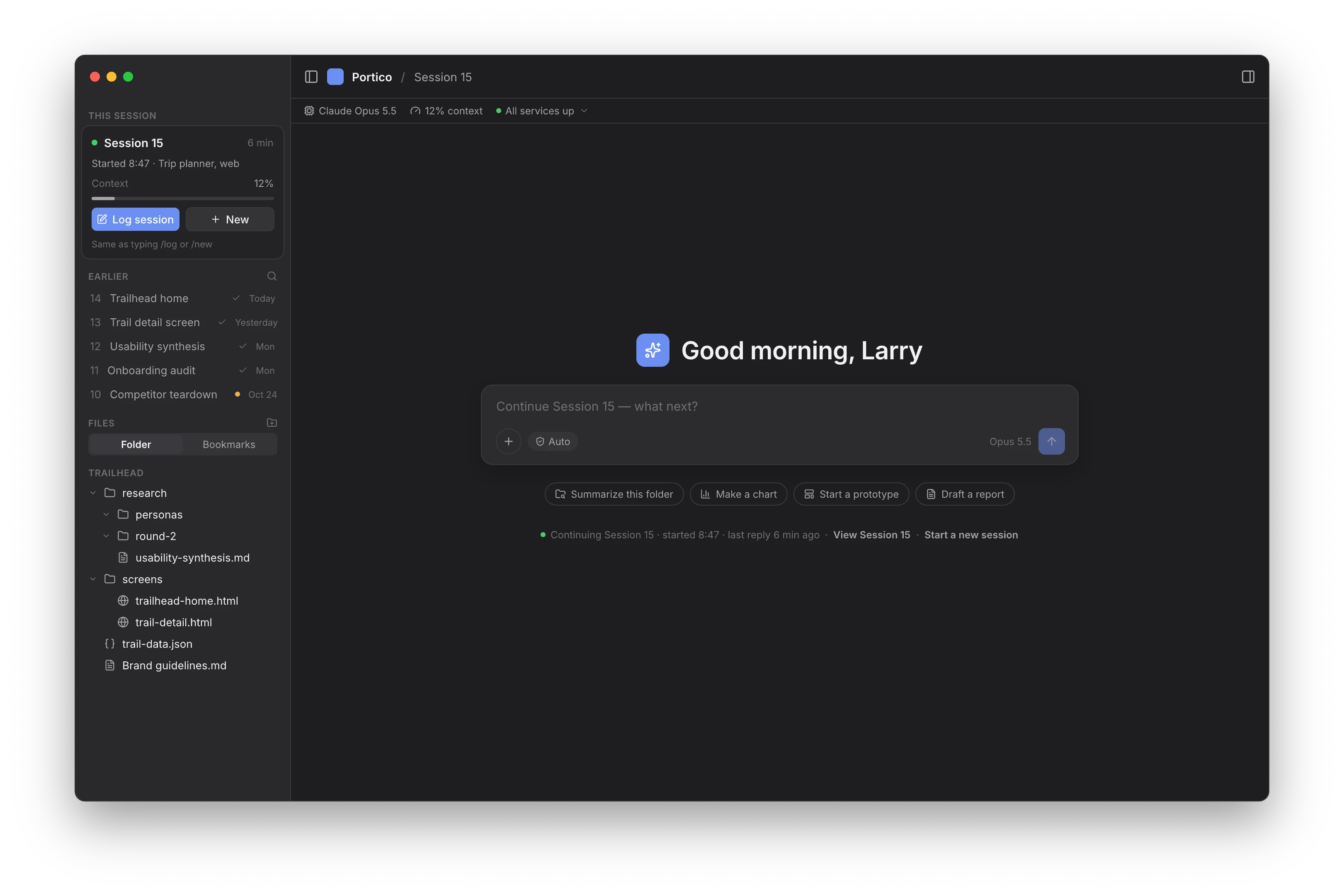
The app reports context usage and exposes session controls and files. The gateway replays conversation history when the app reconnects.
Make decisions in context
The gateway routes permission requests, questions, and forms into interactive cards. Responses flow back to the agent so work can continue.
Inspect what gets made
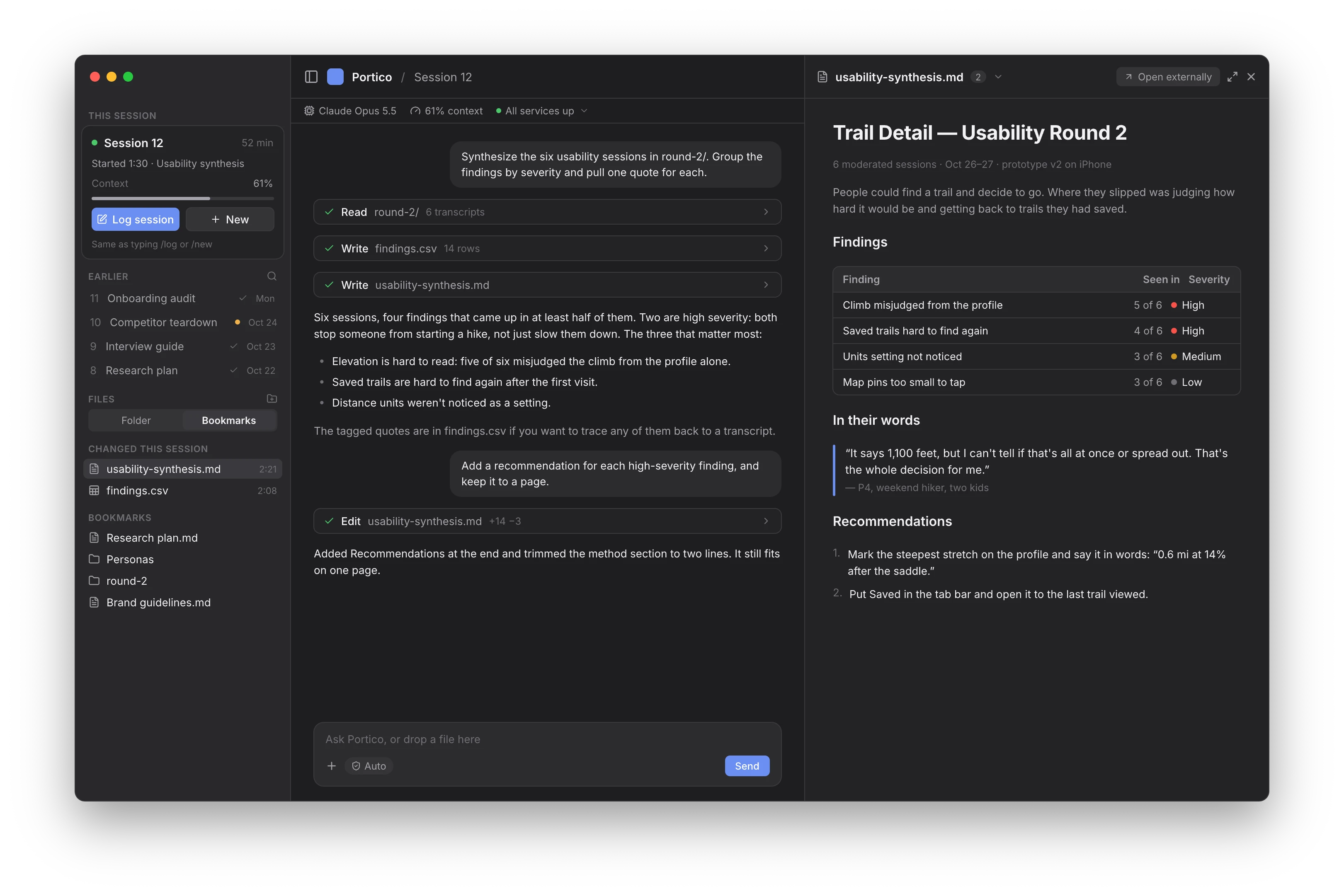
The integrated viewer opens generated HTML, images, Markdown, PDFs, and local URLs alongside the conversation. Artifact detection brings new output into view as it is created.
Product workflows
From picking up a session to working through the result.
Portico keeps the context of the work accessible while giving its output room to breathe. These examples show session continuity, a research document beside its conversation, and an expanded view of a generated web app.
Designed to connect
One interface. Different agent systems.
Portico separates the native app, the protocol, and the gateway. The app understands the shared messages and interactions; the gateway connects those interactions to an agent.
The reference gateway uses the Claude Agent SDK. That is an implementation choice for the gateway, rather than a dependency built into the interface. Another agent engine can connect by implementing the same protocol.
This separation is central to the product: I can develop the interface while the agents using it continue to evolve.
Building and refining
Built, tested, and refined through use.
I took Portico from product definition and interface design through implementation and release. I made the product and architecture decisions, tested the running software, and turned that experience into changes to session controls, approval behavior, and the presentation of conversations and artifacts.
The app and gateway have automated tests, alongside live agent-session validation. Installation, diagnostics, and update tooling are part of the product too. Development continues as I use it and refine the experience. The full case study will trace the iterations, trade-offs, and lessons behind those releases.
Full case study coming soon.
Back to all projects